
⚡ usbliter8
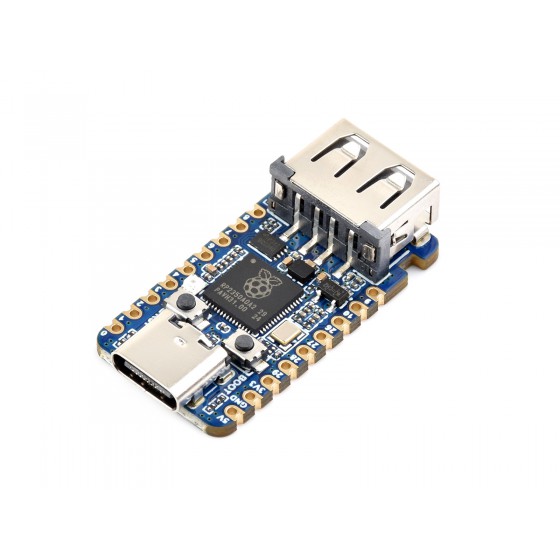
Waveshare RP2350 USB-A
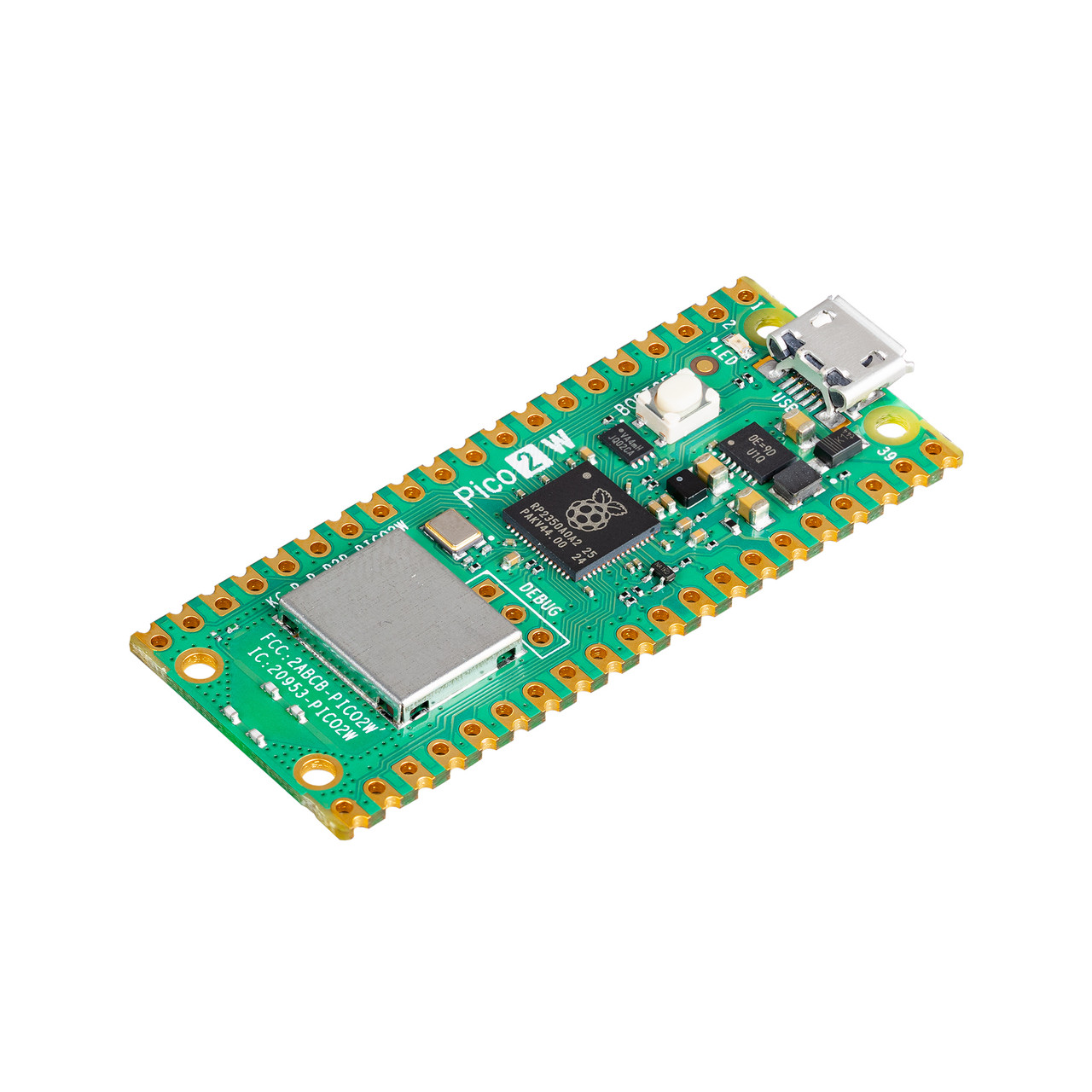
Raspberry Pi Pico 2
Tethered SecureROM / BootROM exploit for Apple A12 & A13
Build your own RP2350 / Pico 2 USB-A pwn tool in under 30 minutes
A12 / A13
Primary Targets
~1 sec
Exploit Time
RP2350
Required Hardware
Tethered
BootROM Level
What is usbliter8?
usbliter8 is a tethered BootROM (SecureROM) exploit that targets a very low-level hardware bug in the USB controller found in Apple’s A12, A13, S4 and S5 chips.
Hardware Bug
It abuses a flaw in the Synopsys DWC2 USB controller that normal Mac/PC USB stacks cannot reliably reach. Only a programmable microcontroller with precise timing control can trigger it.
Pwned DFU Mode
Successful exploitation forces the device into a special “Pwned DFU” state. The USB serial number ends with PWND:[usbliter8], confirming the exploit landed.
Research & Repair Use
Once in Pwned DFU you can demote production mode, boot raw (decrypted) iBoot images, dump memory, or chain further research payloads. Popular among repair shops and security researchers working on A12/A13 devices.
Requires RP2350
The exploit runs on Raspberry Pi RP2350 boards (Pico 2, Waveshare RP2350 USB-A, Pimoroni TINY2350, etc.). RP2040 support exists but is unstable and does not work reliably on A13.
How the Exploit Works
Three simple stages from normal DFU to fully pwned state
Enter Standard DFU
Put the target iPhone/iPad into normal DFU mode while connected to a computer. Important: do not force DFU by breaking LLB — the exploit will fail.
Connect to RP2350
Unplug the device from the computer and plug it directly into the prepared RP2350 board running usbliter8 firmware. The board takes control of the USB bus.
Exploit Lands
Within ~0.7–1.2 seconds the firmware triggers the USB controller bug. LED turns green (or solid) and the device now reports PWND:[usbliter8]. Reconnect to your Mac/PC to continue.
Download All Firmwares
One ZIP contains every pre-compiled UF2 for all supported boards:
Waveshare RP2350 USB-A • Waveshare RP2350 Zero • Pimoroni TINY2350 • Raspberry Pi Pico 2
Flash the correct .uf2 that matches your exact board model.
Build Your Own usbliter8 USB Pwn Tool
Two excellent options are available. The Waveshare RP2350 USB-A is the easiest (plug-and-play). The official Raspberry Pi Pico 2 is a cheaper alternative that works great as a custom adapter with simple soldering.
Waveshare RP2350 USB-A
Native USB-A port • Almost no soldering
Raspberry Pi Pico 2
Official board • Great custom adapter option
Option A — Waveshare RP2350 USB-A (Easiest)
This board has a native USB-A host port. You simply plug a normal Lightning-to-USB-A cable into it. No cutting or soldering required for basic use.
- Buy a Waveshare RP2350 USB-A board
- Flash the matching
usbliter8.waveshare_rp2350_usb_a.uf2from the ZIP above - Optional but recommended: carefully desolder resistor R13 (1.5 kΩ pull-up on D+) for more reliable host behavior and hot-plug detection
- Plug Lightning cable → board → device in DFU
Option B — Raspberry Pi Pico 2 (RP2350) (Great Adapter Option)

Real example of a finished Pico 2 pwn tool with soldered Lightning cable
The official Raspberry Pi Pico 2 is an excellent and affordable option. It works perfectly as a custom USB adapter once you solder a short Lightning cable.
How to Build the Pico 2 Pwnage Adapter
Required Wiring (confirm with multimeter — colors can vary!)
| Lightning Cable Wire | Signal | Pico 2 Pin |
|---|---|---|
| Red | VBUS (+5 V) | VBUS |
| Black | GND | GND |
| Green | D+ | GP12 |
| White | D− | GP13 |
Tips: Keep the remaining Lightning cable as short as possible. Never connect 5 V to any 3.3 V pin. Double-check D+ / D− are not swapped. Do not use USB-C cables — the pinout is different.
Flashing the Firmware (One-Time)
- Download the complete firmware pack:
usbliter8_flash_firmwares.uf2.zip - Extract the ZIP and choose the .uf2 that matches your board exactly.
- Hold the BOOTSEL (BOOT) button on the board.
- While holding BOOTSEL, plug the board into your computer via its native USB port.
- Release the button. A drive named
RPI-RP2orRP2350appears. - Drag and drop the matching .uf2 file onto that drive.
- The board reboots automatically. It is now ready.
Video: How to Install Firmware on Pico 2
After a successful exploit the LED usually turns solid green (or stops blinking). Power-cycle or reset the RP2350 board before the next attempt.
Supported Devices & Chips
usbliter8 targets the SecureROM on these SoCs. A12X/Z support is theoretically possible but not fully implemented in public builds.
- A12 Bionic — iPhone XS, XS Max, XR · iPad Air (3rd) · iPad mini (5th) · iPad (8th)
- A13 Bionic — iPhone 11, 11 Pro, 11 Pro Max · iPhone SE (2nd gen) · iPad (9th gen)
- S4 / S5 — Selected Apple Watch models (research use)
The exploit is tethered — the device must stay connected to the RP2350 (or be re-exploited) after each reboot for continued unsigned code execution.
After the Exploit – Control Tools
Once you see PWND:[usbliter8] you can talk to the device with community tools
usbliter8ctl
Original Python control utility. Supports demote, boot raw iBoot images, basic memory operations, and serial inspection.
Community Ports
C rewrites and higher-level toolkits exist that remove Python dependencies and add automated patchfinders for iBSS/iBEC, SPTM, TXM and kernel.
Research Chains
Researchers have chained usbliter8 into full tethered jailbreak workflows (custom ramdisks, SSH, etc.) especially on iPhone 11 series running early iOS 27 betas.
Frequently Asked Questions
Is usbliter8 untethered?
No. It is a tethered BootROM exploit. After a reboot the device leaves the pwned state and must be re-exploited with the RP2350 board.
Why does it need an RP2350 instead of a normal computer?
The bug lives extremely deep in the USB controller. Standard host USB stacks (macOS, Windows, Linux) cannot generate the precise low-level timing and packet sequences required. The RP2350 firmware uses PIO and tight control to hit the vulnerability window.
Can I use a regular Raspberry Pi Pico (RP2040)?
Technically possible but not recommended. Success rate is significantly lower and A13 devices usually fail completely. Stick to genuine RP2350 boards.
Where are the firmwares?
All supported board firmwares are packed in one convenient ZIP:
Download usbliter8_flash_firmwares.uf2.zip
Does this work on iOS 18 / 26 / 27?
The exploit targets the BootROM itself, which is not updated by normal iOS releases. As long as the SecureROM version on the chip is vulnerable, the OS version running on top is largely irrelevant for the initial pwn.
Is this legal / safe for repair shops?
usbliter8 is a publicly documented security research tool. Like checkm8 before it, it is widely used by legitimate repair technicians for passcode recovery, diagnostics, and data extraction on customer-owned devices. Always obtain proper authorization and follow local laws.
Ready to Build Your Own?
Grab a Pico 2 or Waveshare RP2350 USB-A, download the firmware pack, flash the correct UF2, and you have a professional A12/A13 pwn tool on your bench.